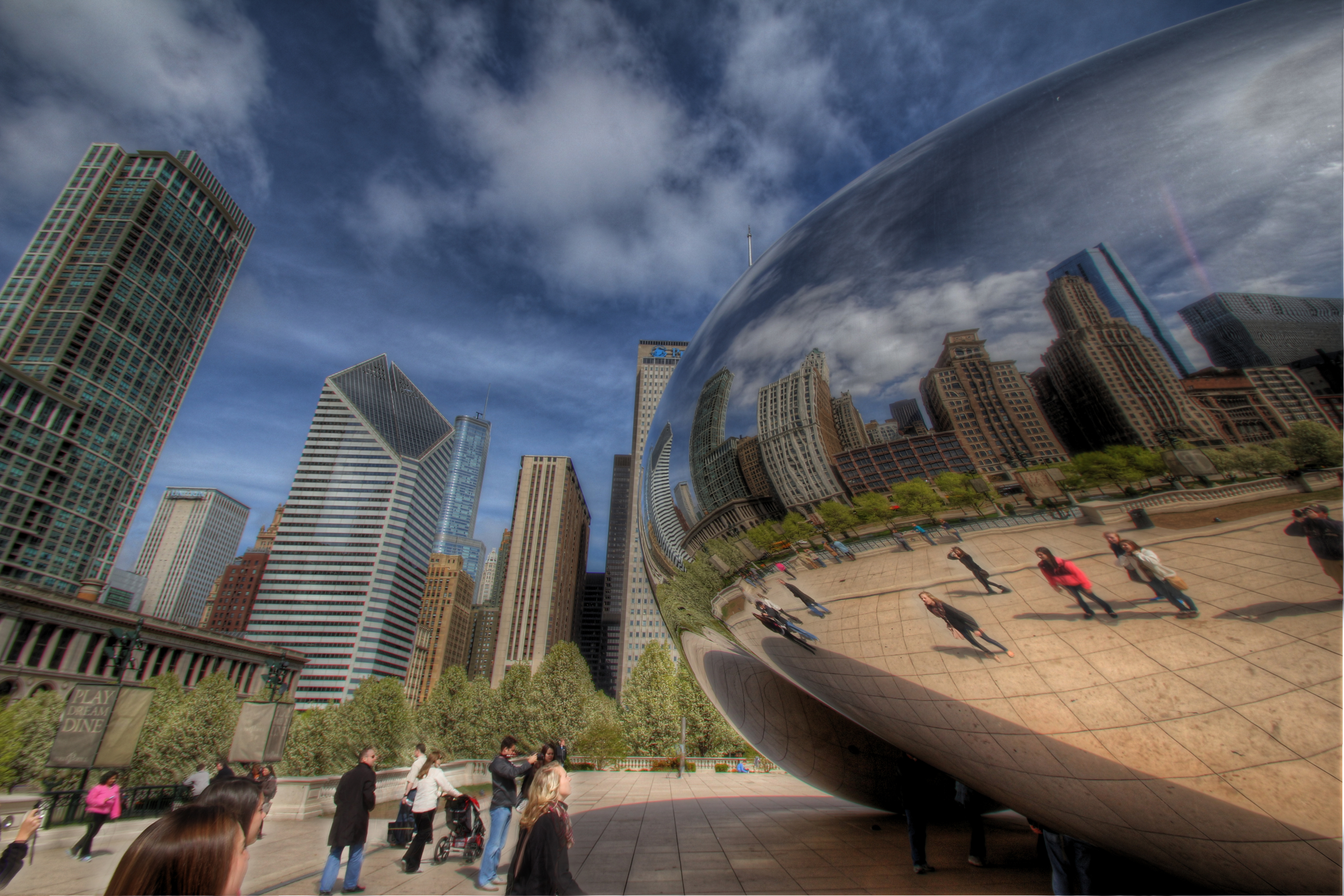
 A few days ago I talked about learning a bit from the Trey Ratcliff 11 hour HDR tutorial. At the time I had only seen the first lesson. I think I said on here that it was very superficial. I meant that the first lesson was superficial because it was just a run through of everything without going into much detail. That detail has come in the lessons that followed as I thought that it would. I have really learned a lot, and I hope that you will be able to see the results on this blog. Just to show a little of what I learned I thought that I would post this picture. On day 175 I posted my version of this picture. If you click on the link you can see the picture that I took. It was one of my favorite pictures from my trip to Chicago, but it just looked a bit off. At the time though it was the best that I could do. I was trying to do all my work in Photomatix. I guess that I just assumed that I had to do that at the time. After watching Trey’s videos I learned that you have to just pick portions of the picture to get right in Photomatix. You have to take the picture into another program (in my case Photoshop Elements) to get it the rest of the way. About a year ago I took a photography course that helped my get off the presets on my camera and into manual mode. It was a watershed moment that helped me improve. I feel that this course did something very similar for me. It has helped a lot in the way that I see the scene, and also how I process the picture when I get back home. I used to use a preset in Photomatix and work off of that. Thanks to the knowledge gleaned from the videos I now adjust the sliders on my own. I like how this photo turned out the second time around. I think that it was well received the first time, but I feel much better about it now. Thanks to learning about masking in Photoshop the blurry people in the picture are now not. I really had fun transforming the picture this time making everyone whole again. If you are into HDR photography or just want to learn how to make your photos ‘pop’ a little more the course is well worth the money. I still have two lessons to go, but I feel that it has been well worth the money so far. He has a free video explaining the basics on his site Stuck In Customs, but the in depth video goes much deeper. I feel kind of like George Lucas re-working his movies years later, but I really wanted to apply what I learned to a past photo. In the end I liked how the experiment worked out. Hopefully tonight some clouds will roll in so that I can get a new shot and apply what I have learned. Maybe I can re-work this picture every couple of months to gauge where I am at with my processing skills.
- Comment
- Reblog
-
Subscribe
Subscribed
Already have a WordPress.com account? Log in now.
 Dave Wegiel Photography
I looked at his course, but the price deterred me a little. My husband just said no. I might have to rethink it. This image is great. I also think what you suggest at the end is a great idea, will be great to see how you progress. I’m really looking forward to seeing what you come up with.